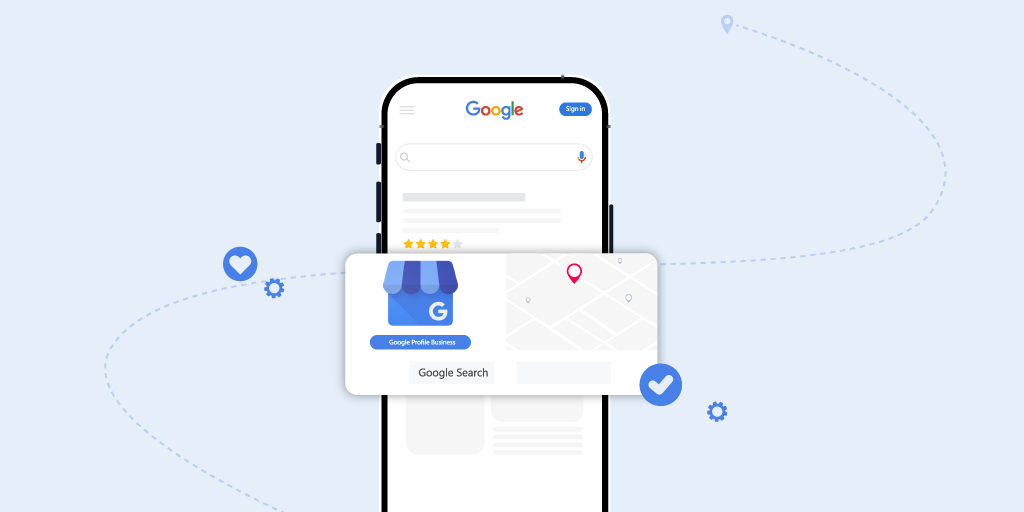
Step-by-Step Guide to Setting Up Google Business Profile for Local SEO
Contents
Step-by-Step Guide to Setting Up Google Business Profile for Local SEO
For local businesses, visibility isn’t really about “having a website” anymore. That used to be the baseline. Now it’s about showing up at the exact moment someone nearby searches for what you do, usually on their phone, usually with some intent behind it.
And most of the time, that moment happens inside Google’s local results. The map pack. The business listings. Those quick answers that sit above everything else.
That’s where Google Business Profile comes into play.
A properly set up Google Business Profile can quietly drive calls, direction requests, and real leads without much fanfare. A poorly set-up one does the opposite. It sits there, technically existing, but not really working. The difference between the two is often just a matter of attention to detail.
This article isn’t meant to be a theoretical overview. It’s a practical local search SEO guide. Step by step. What to do, why it counts, and how little choices accumulate over time. You will come across Google Business Profile optimization tips you can truly apply, not only study and ignore.
Creating Your Google Account
Before you touch Google Business Profile at all, you need a Google account tied to the business. A simple step, but one that causes problems later if rushed.
When to Use an Existing Account vs. Creating a New One
You can utilize that account if your company already uses a shared Google account for tools like Google Analytics or Search Console. The key thing is long-term access. If that account belongs to a former employee or an agency you no longer work with, you’re setting yourself up for friction later.
In many cases, creating a dedicated Google account just for the business is cleaner. It keeps ownership clear and avoids awkward access issues when people move on.
Ownership and Security Best Practices
The account that creates or claims the profile becomes the primary owner. That role controls everything. Edits, access levels, verification changes. Enable two-factor authentication right away and be selective about who gets admin access. Fixing access problems after the fact is always harder than doing this right upfront.
Claiming or Creating Your Business Profile
Once you’re logged in, search for your business name in Google Business Profile Manager.
Claiming an Existing Listing
Often, Google has already created a listing for your business. This happens when data is pulled from directories, map edits, or user suggestions. If that’s the case, you’ll need to claim it. Claiming gives you control over what shows up and what doesn’t, which matters more than most people realize.
Creating a New Listing
If nothing exists, you’ll create the profile from scratch. This is common for new businesses or service-area companies that don’t have a traditional storefront.
Verification Methods and Common Delays
Google requires verification to confirm ownership. This might be a postcard, phone call, email, or video verification. Postcards are still common and can take several days. Delays happen. That’s normal. Rushing this step or creating duplicates usually causes more harm than waiting.
Entering Accurate Business Information
NAP Consistency and Why It Matters
Your business name, address, and phone number should match exactly across your website, your Google Business Profile, and other listings. Even small differences weaken trust signals. It’s not dramatic, but it adds up.
Common Mistakes to Avoid
Avoid adding keywords to your company name. This puts your profile at risk and violates Google's rules. Use only the actual name. Before publication, verify URLs, phone numbers, and service regions. Fixing errors later doesn’t always undo the damage.
Choosing the Right Business Categories
Categories tell Google what your business is, not everything you happen to offer.
Primary vs. Secondary Categories
Your primary category carries the most ranking weight. Secondary categories support it, but shouldn’t drift too far. Relevance beats volume here every time.
Strategic Category Selection
Instead of guessing, look at competitors who already rank well locally. Their categories often reveal patterns. It’s not about copying blindly, but about understanding how Google already views your space.
Adding Photos and Visual Content
Photos don’t just help users. They influence engagement and conversions.
Types of Photos That Perform Best
Exterior shots, interior photos, team images, and service or product visuals all matter. They help people feel comfortable reaching out, especially when they’ve never heard of your business before.
Best Practices for Uploading Images
Use high-quality images with descriptive file names. Update them regularly. Fresh visuals signal activity. Profiles that look alive tend to get more clicks and actions, even if nothing else changes.
Writing an Engaging Business Description
Your description sets the tone for your profile.
Writing for Users First, SEO Second
Explain what you do, who you serve, and why someone should care. Keep it natural. Local context helps, but clarity matters more than cleverness.
Avoiding Over-Optimization
This isn’t the place for keyword stuffing. Forced phrases don’t build trust. Clear language does, and it still supports local relevance without trying too hard.
Setting Up Business Hours and Attributes
Regular and Special Hours
Keep hours accurate. Update holiday or event hours when needed. Incorrect hours lead to frustration, bad reviews, and lost trust faster than almost any other issue.
Using Attributes to Add Context
Attributes such as service options, accessibility features, and payment methods help Google match your business to the right searches. They also help customers decide faster, which matters.
Managing Customer Reviews and Q&A
Reviews shape perception long before someone clicks your website.
Responding to Reviews the Right Way
Respond when you can. Thank positive reviewers. Address negative ones calmly. Engagement matters. Silence often looks worse than a bad review handled well.
Using Q&A Proactively
Add your own common questions and accurate answers. This prevents misinformation and removes friction for potential customers who are still deciding.
Using Posts and Updates to Engage Customers
Posts keep your profile active.
Types of Google Business Profile Posts
You can share updates, offers, events, and announcements. These appear directly on your listing and give people something to interact with beyond basic details.
Why Consistent Updates Matter
Regular posting signals freshness. It also shows customers that your business is active, not forgotten or outdated.
Tracking Performance with Google Insights
Insights show what’s actually happening.
Key Metrics to Monitor
Look at searches, views, calls, direction requests, and website clicks. These numbers tell you how visible your profile is and how people are using it.
If views are high but actions are low, something isn’t connecting. If discovery searches are weak, categories or content may need to be adjusted. Data only helps if you respond to it.
Common Mistakes to Avoid in Your Google Business Profile
Some issues consistently hold profiles back. Duplicate listings split authority. Keyword-stuffed names risk suspension. Ignoring reviews signals inactivity. Incorrect categories and bloated service areas dilute relevance. Fixing these often leads to noticeable improvements without changing anything else.
Aligning Google Business Profile with Your Website and Local SEO Signals
Why Google Cross-Checks Everything
Google doesn’t evaluate your profile on its own. It cross-checks your website, your profile, and other citations. When details don’t match, rankings quietly drop. No warnings. Just less visibility.
Reinforcing Consistency Across Core Pages
Your service pages, contact page, and schema markup should reflect the same information as your profile. When everything lines up, Google gains confidence, and confidence leads to better local placement.
Supporting Local Relevance with Location-Based Content
If your profile targets a specific city or area, your website should support that with location-relevant content. This strengthens your topical authority and clarifies your targeting.
Treating GBP as Part of a Larger System
A Google Business Profile works best as part of a broader local SEO ecosystem. When it’s treated as a standalone task, performance usually plateaus.
Handling Service-Area Businesses and Multi-Location Profiles Correctly
How Google Treats Non-Storefront Businesses
Service-area businesses need extra precision. Contractors, consultants, and home service providers can rank well, but a sloppy setup causes issues quickly.
Defining Service Areas Without Overreaching
Hide your address if appropriate and define realistic service areas. Adding cities you don’t truly serve weakens relevance. Precision consistently wins.
Structuring Multi-Location Profiles
Each location needs its own verified profile, unique landing page, and localized content. Copy-pasting across locations creates internal competition and limits growth.
Why Structural Details Matter
Unique photos, reviews, services, and naming conventions help Google treat each location as legitimate. When done right, multi-location businesses can dominate local results.
FAQs
How long does it take for a Google Business Profile to show results?
Some visibility can appear within weeks, but consistent optimization delivers stronger results over time.
Can I optimize my Google Business Profile without a physical location?
Yes. Service-area businesses can rank locally by hiding their address and defining accurate service areas.
How often should I update my Google Business Profile?
At least monthly, with regular photos, posts, and review responses for best results.
Conclusion
Google Business Profile optimization isn’t a one-time setup. It’s ongoing, sometimes boring, but effective when done consistently.
When maintained properly, your profile supports stronger rankings, more calls, and better-quality leads. Together, categories, photographs, reviews, posts, and insights count more than they do apart.
Cali Web Studios helps manage and gives Google Business Profile tips as part of a comprehensive local SEO plan for companies seeking expert assistance. A methodical strategy makes the difference between fixing problems quietly, limiting visibility, or starting fresh.
Local SEO is not about shortcuts. It's about getting the basics correct, then maintaining their accuracy.
Subscription Subscribe to our newsletter and receive a selection of cool articles every weeks
We Bring You the
Digital Solutions You Need
Let’s build something bold, brilliant, and uniquely yours. Whether you need a website, an app, or an entire brand ecosystem, we’re ready to make it happen.
request a quote Let's Chat
Feel free to contact us.